
Don’t miss our latest updates
Get news and content delivered straight to your inbox
Thank you! Your submission has been received!
Oops! Something went wrong while submitting the form.


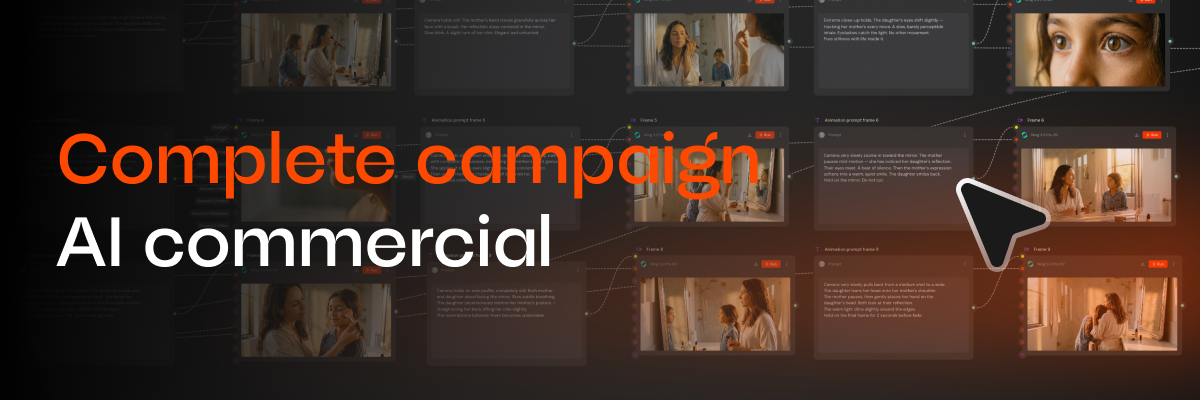
One of the things I obsess over most as part of Mavity's product team is a new user's first session. And if I've learned anything from watching hundreds of those sessions, it's this: nobody opens the platform to learn the platform. You open it because you need a campaign.
So this guide isn't a feature tour. It's the complete journey of a real campaign, built in Mavity with a single flow: a cinematic commercial of a mother and daughter in their morning ritual, endingin a product shot and a voiceover in two languages. The kind of piece that, a few years ago, required a full production team.
You can follow every step with your own idea.Let's go.
You can try the AI copilot for free at mavity.co, the free plan includes enough credits to create your first campaign, no card required. Before generating anything, load your brand context: logo, colors, products. It takes a few minutes, and it's what makes everything that follows come out with your identity instead of generic.
This is the trick that changes results the most for people who are just starting. The temptation is to ask directly for the final scene ("a mom doing her makeup while her daughter watches"). The problem: if you generate each scene from scratch, your characters change faces in every image.
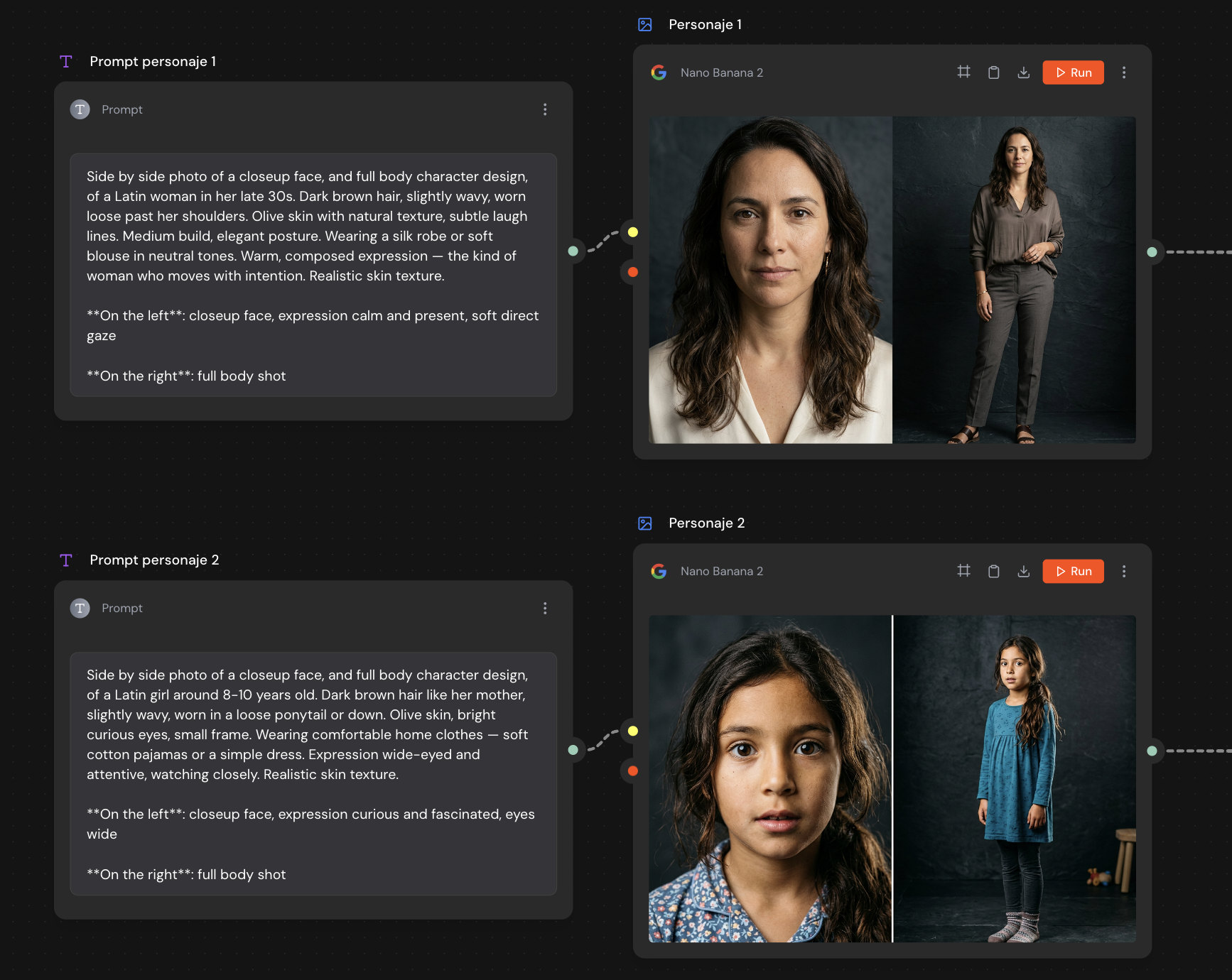
Instead, the flow starts with two text nodes, one per character, connected to an image generation node. Each prompt asks fora "character sheet": a side-by-side photo with a face closeup and a full-body shot. In our example: a Latin woman in her late thirties, and her daughter around 8-10 years old, with details about skin, hair, clothing and expression.
Those two images become the visual reference for the entire campaign. Every time a later node needs the characters, itr eceives these sheets as input — and that's why the mother and daughter look the same in shot 1 and in shot 9.
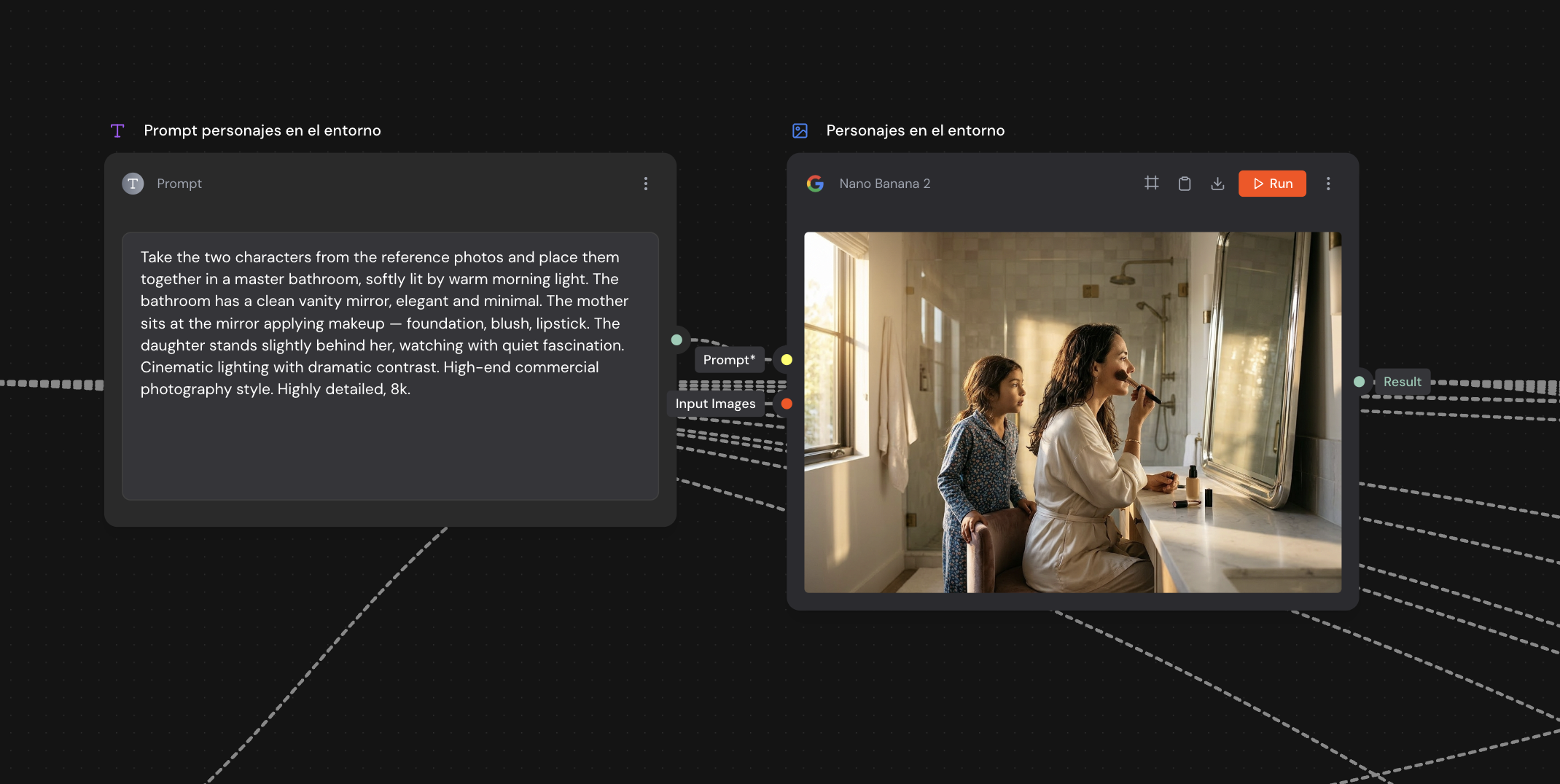
The next node takes the two character sheets and a prompt describing the master scene: an elegant bathroom with warm morning light, the mother sitting at the mirror doing her makeup, the daughter standing behind her, watching with quiet fascination. Commercial photography style, cinematic lighting.
The result is a single image that defines the world of the campaign: the space, the light, the relationship between the characters. Think of it as the "master shot" everything else will grow from.
Here comes my favorite part of the flow,because it's where you see the difference between generating images andproducing a campaign.
A text node asks a language model to take the scene and write a 9-shot cinematic sequence that unfolds naturally from start to finish: specifying camera placement, framing and narrative moment for each shot, one paragraph per shot.
The model returns the complete visual script:a wide shot of the mother at the mirror, a close-up of her face in the reflection, an extreme close-up of the daughter's eyes, a detail of hands holding the lipstick, the daughter mimicking the gesture with her lip balm, their eyes meeting in the mirror... A Split Text node then separates that text into 9 segments, one per shot, ready to feed the next nodes.
You wrote one paragraph. The flow already has a storyboard.
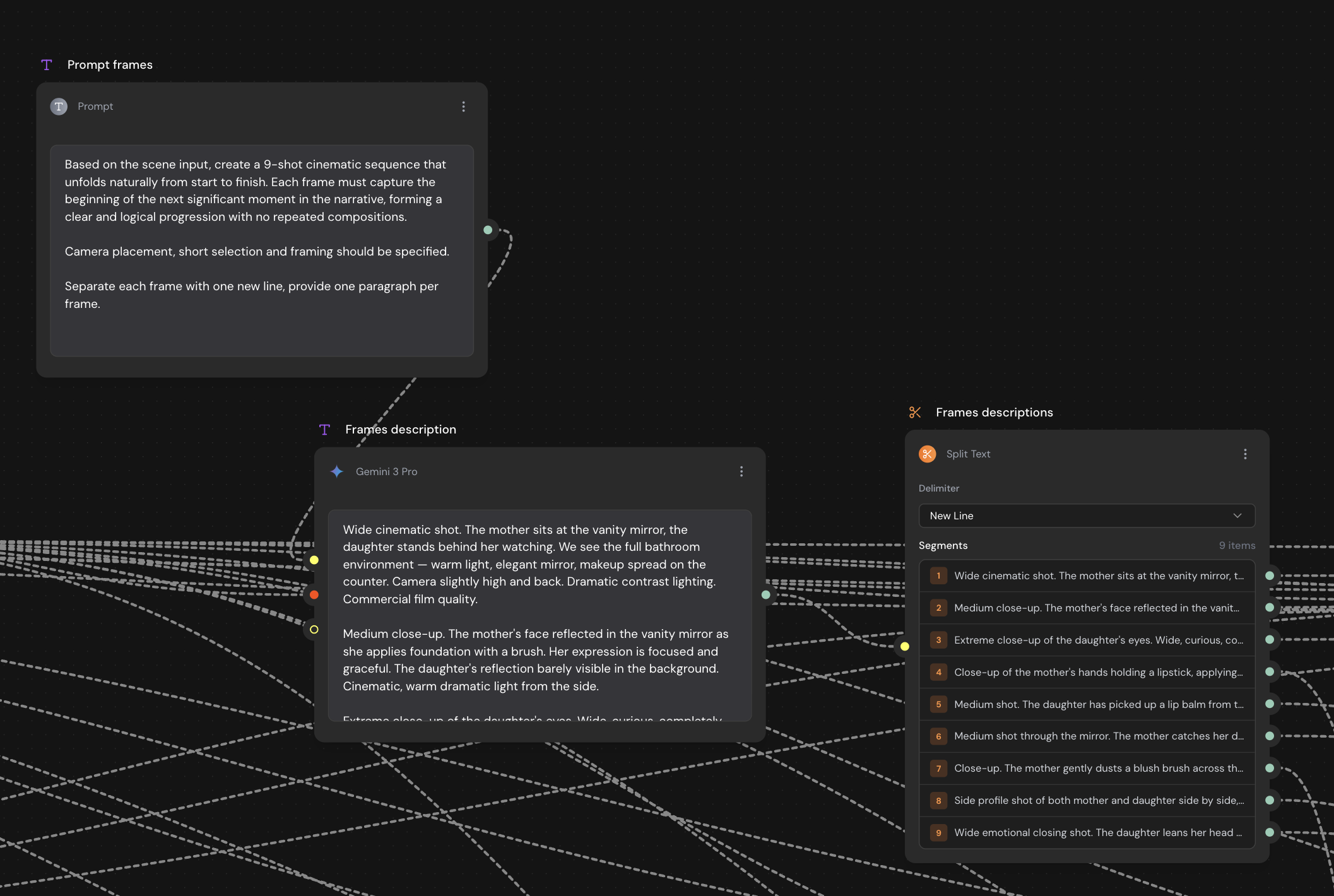
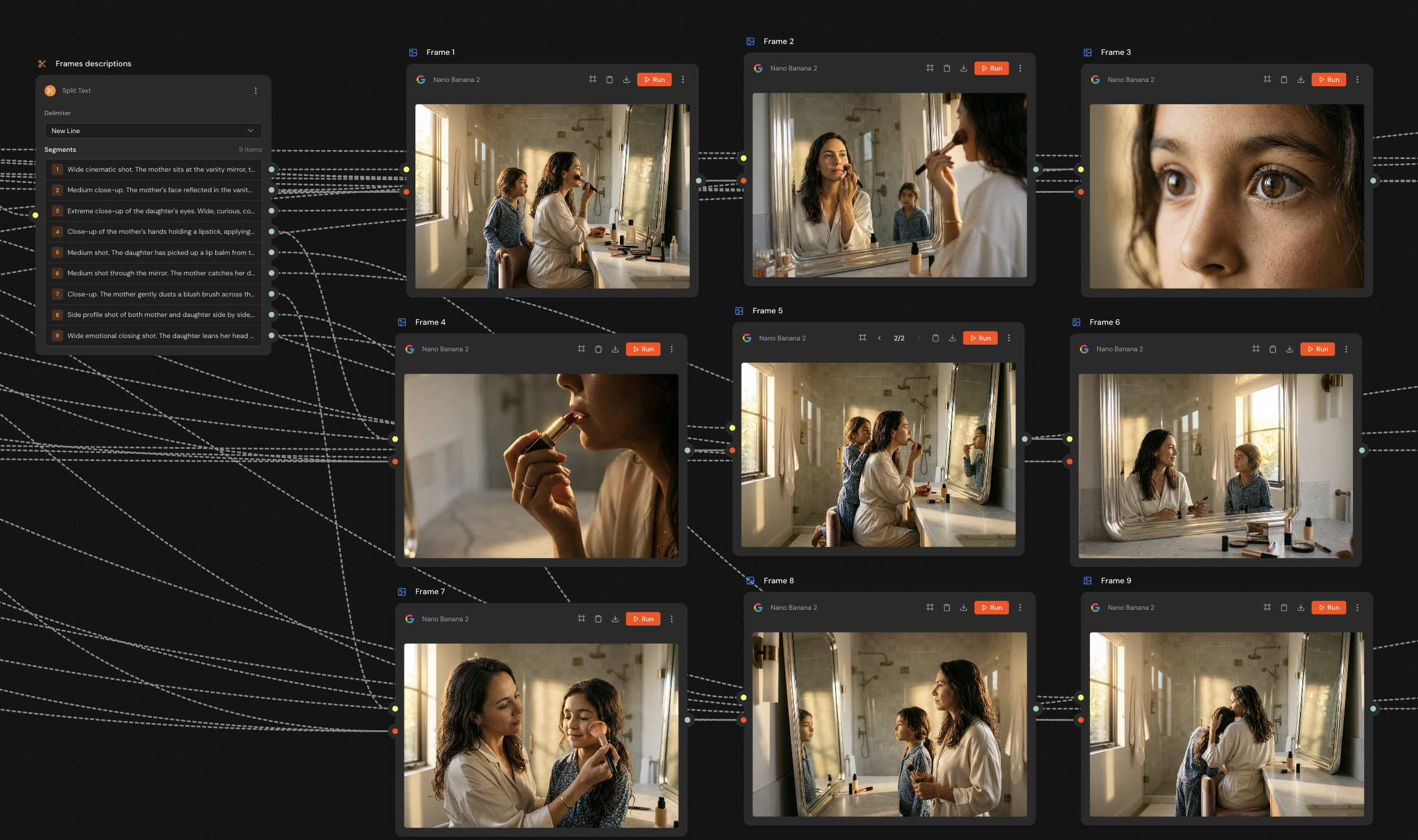
Each storyboard segment connects to an image node that receives two things: its shot description and the master scene image as a reference. That second input is the key: it's what keeps the same bathroom, the same light and the same characters across all nine frames.
In a few minutes you have the full sequence onthe canvas, like a photographic storyboard: from the opening wide shot to theemotional closing frame, with the daughter resting her head on her mother'sshoulder.
And if one frame isn't right, you regeneratethat node. Just that one. The rest of the campaign stays untouched.
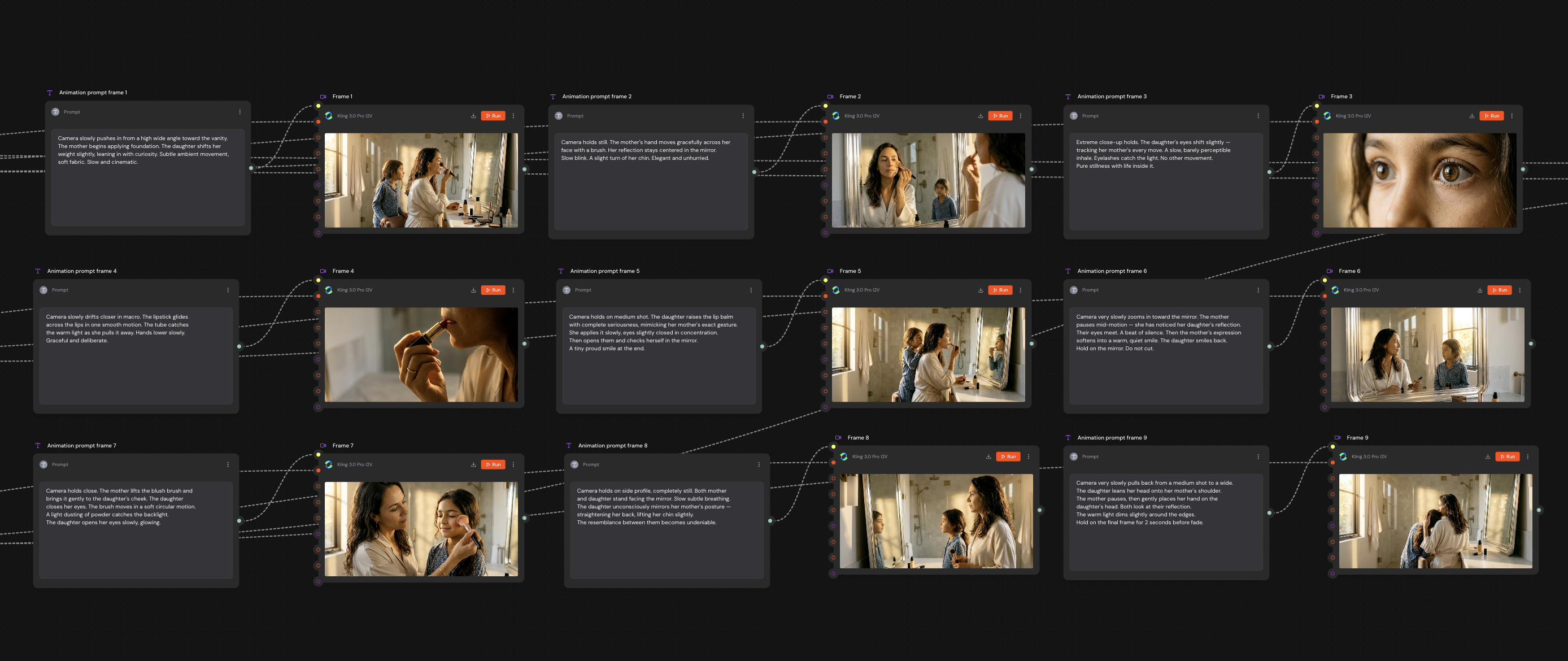
Each frame moves to an image-to-video node, paired with a short animation prompt describing the motion: "the camera slowly pushes in from a high wide angle toward the vanity," "the daughter's eyes shift slightly, tracking her mother's every move; a slow, barely perceptible inhale."
One tip that comes straight from this flow: in animation prompts, less is more. The best clips are the ones that ask for minimal movement: a blink, a turn of the chin, a smile that appears slowly. Stillness is camera direction too.
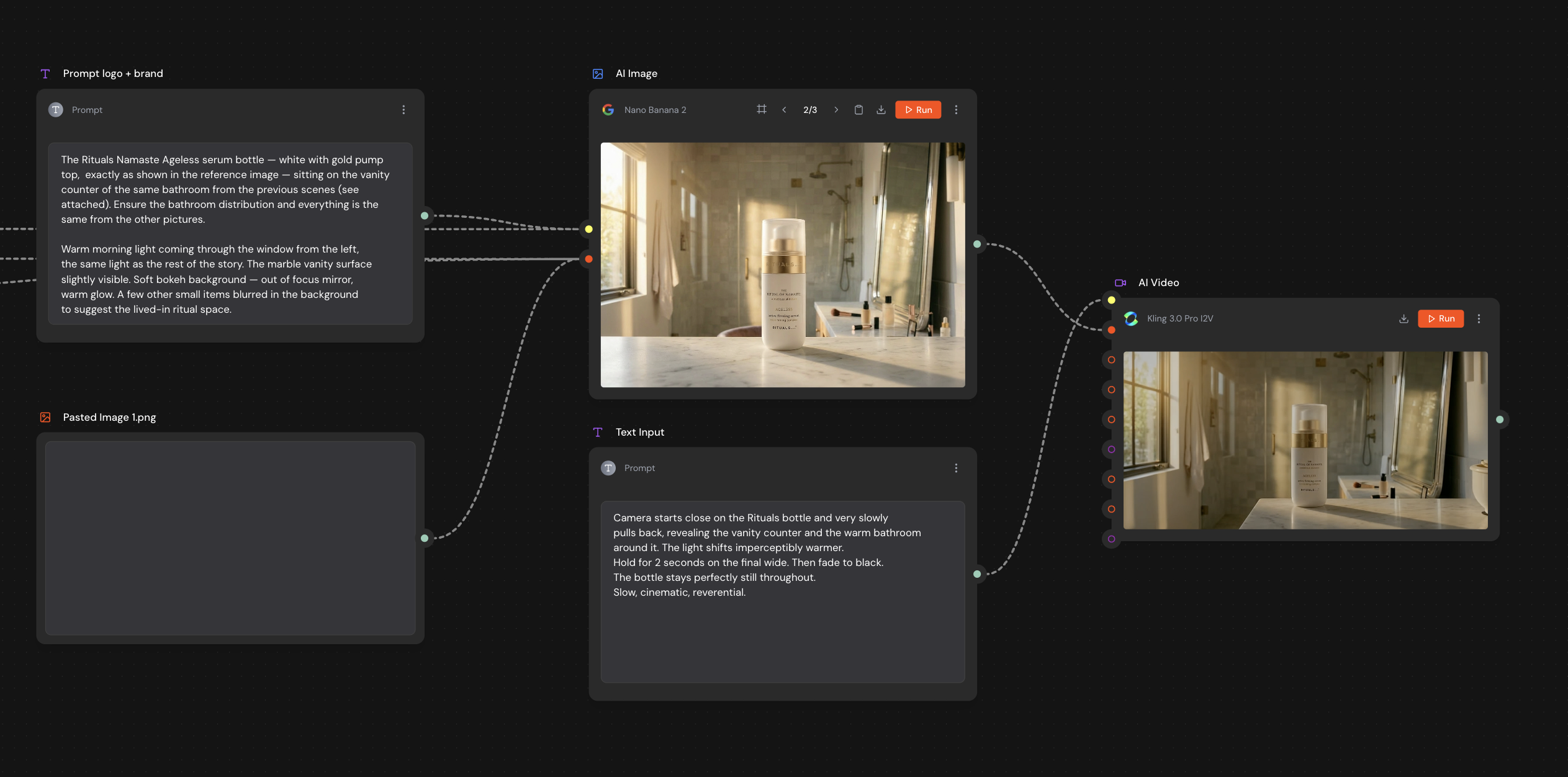
Only at this point does the product appear. Anode receives the real photo of the packaging as a reference image, plus a prompt placing it in the same bathroom from the story, with the same morning light. That frame gets animated with its own prompt: the camera slowly pulls back from the bottle, reveals the space, holds the shot for two seconds and fades to black.
Using the real product photo as a reference(instead of letting the AI invent it) is what makes the packshot commercially usable: your packaging, your label, your brand.
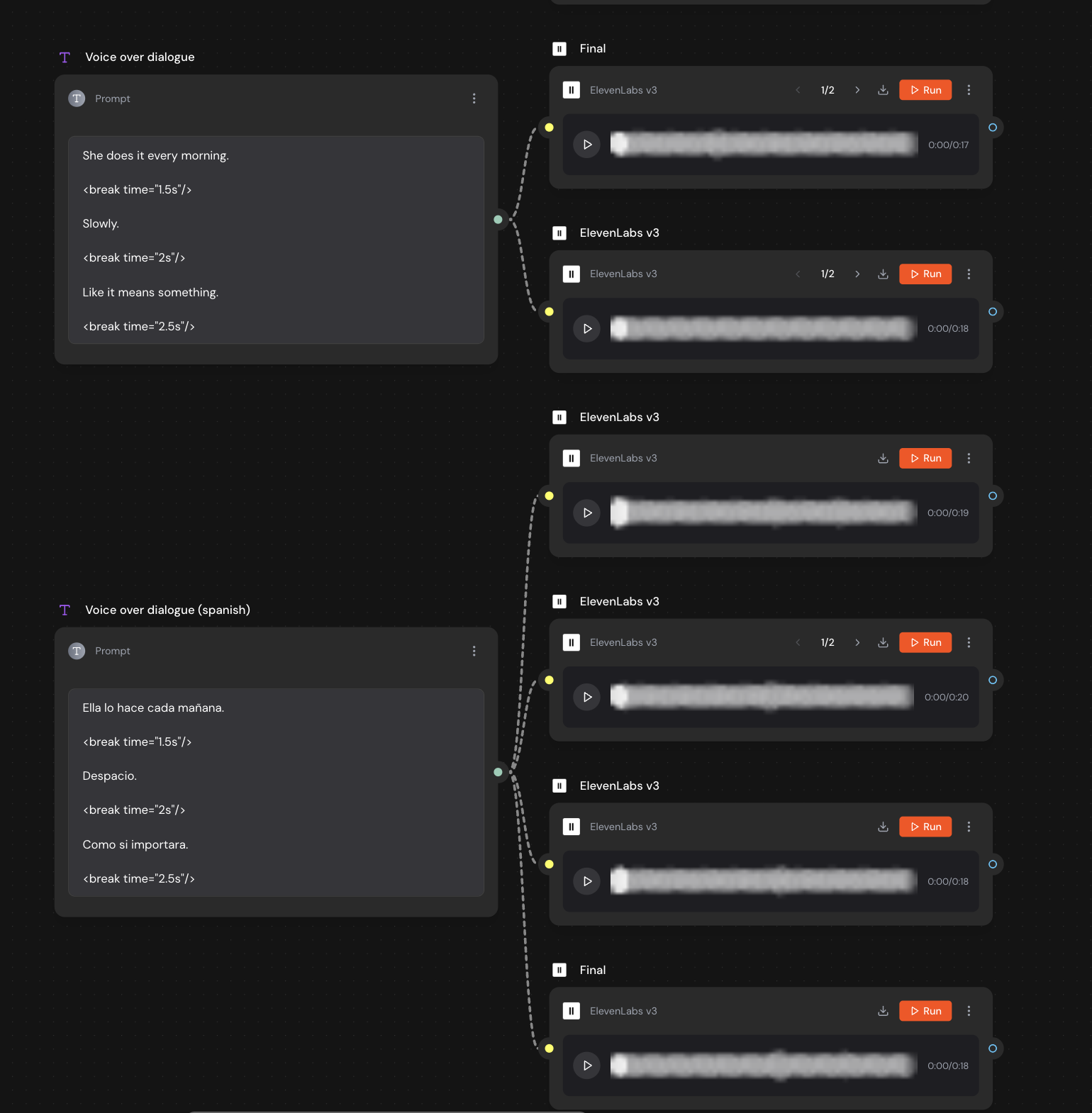
The flow closes with the voiceover nodes. The script is short, with pauses written into the text itself: "She does it every morning. … Slowly. … Like it means something."
And here's a detail I love: the flow has two script nodes, one in English and one in Spanish, connected to separate voice generations. The same campaign comes out localized in two languages without producing anything twice. If your brand sells in multiple markets, this step alone justifies the system.
Let's recap what's on the canvas at the end:consistent characters, an AI-written storyboard, 9 generated and animated shots, a product shot with your real packaging, and a voiceover in two languages. All connected, all visible, all editable.
And here's what we see in our data over and over: the moment Mavity "clicks" for someone isn't when they see their first result. It's when they run that flow again (with another product, another story, another language) and realize they're no longer starting from zero.
Your first campaign takes one session. The system you built with it is yours forever.