Don’t miss our latest updates
Get news and content delivered straight to your inbox
Thank you! Your submission has been received!
Oops! Something went wrong while submitting the form.


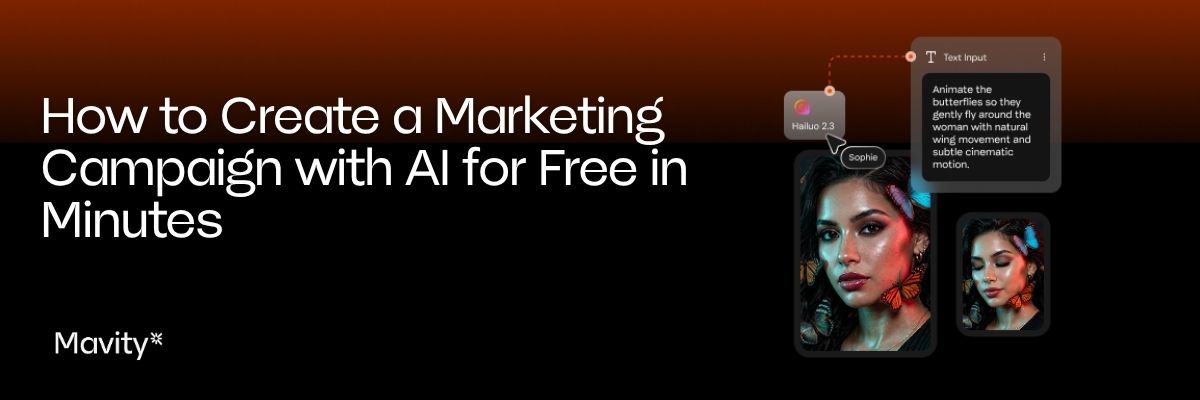
Creating a marketing campaign with AI may seem as simple as opening a chatbot and asking it to generate an idea.
In reality, a campaign requires much more.
You need to define the goal, understand the brand, develop concepts, create content, and adapt that content for different channels.
The good news is that AI can now help with many of these steps, and in some cases, you can start testing these tools for free.
Before opening any tool, define what you want to achieve.
Launching a product is different from promoting an offer, increasing sign-ups, or creating content for social media.
You can start with a simple brief that includes:
You do not need to write a ten-page document.
The important thing is to give the system enough information to understand the task.
This is where generating content becomes different from producing content for a specific brand.
If you simply write "create an ad for a skincare brand," the AI has to invent much of the context.
The result may look good, but it will probably feel generic.
In Mavity, you can use Brands to centralize information about your brand and use it throughout the creative process. This can include elements such as tone of voice, messaging, personality, and visual identity.
This means the context does not have to depend on someone copying and pasting the same information into every prompt.
Mavity Copilot allows you to interact with AI directly within the workspace and use available context to work on projects and workflows.
One of the most useful possibilities is asking it to help turn a marketing need into a Flow.
For example, you can start with a request to create a campaign for a new product and define the outputs you want.
The conversation can become a production process.
This is one of the biggest differences between using AI as part of a workflow and simply using a chatbot.
A Flow can connect different steps.
You can start with a brief and then move through different nodes to produce copy, images, or video.
The process can be adapted to the needs of the campaign.
For example, a team could build a workflow to generate:
You do not have to do everything manually every time you launch a campaign.
The workflow remains available to reuse.
Once the concept is defined, you can create images using the models available in Mavity.
The platform is designed to work with different models and connect them within Flows.
This allows you to experiment with different styles and types of content without rebuilding the process from scratch in each tool.
For a visual campaign, you can generate multiple versions and select the ones that best fit the concept.
Video generation can also become part of the process.
Mavity allows you to work with video models within its workflows and use images as references.
This is useful when you want the same creative idea to work across different formats.
A campaign can start with an image and continue with different audiovisual versions.
You can try different AI tools without paying, but it is important to understand what "free" actually means.
A platform may offer free access with limits on generations, credits, or certain features.
Mavity uses a credit-based system with different plans, including a free plan with credits to get started. The amount of content you can produce depends on the plan and the type of generation.
So if you are searching for terms such as "create an AI advertising campaign for free," "AI copilot for ad campaigns free trial," or "AI content creation tool free," always check what the free access actually includes.
Price should not be evaluated based only on the number of generations.
It is also important to consider how much manual work the tool eliminates.
If a tool generates an image but you then have to download it, move it to another platform, explain the context again, and build the next asset separately, the tool's price does not reflect the full cost of the process.
With a workflow-based platform, part of the value comes from connecting those steps.
That is why, when comparing terms such as "AI copilot pricing," "AI campaign generator pricing," or "Mavity pricing," it is also worth looking at which capabilities are included in each plan and how much work the team can actually handle.
The real advantage appears when the campaign is not a one-time project.
Suppose a brand launches new products every month.
If you build a workflow for that process, the next campaign can start with the same system.
Change the product.
Change the brief.
Then run the process again.
That is much closer to how AI can become part of a marketing operation.
Not just as a way to generate content.
But as a repeatable way to produce it.
Start creating with Mavity for free today.


.jpg)